HTML Tutorial for Beginners: Learn HTML in 2026 and Master the Web
In 2026, the web is smarter, faster, and more interactive than ever, but one technology still remains at the heart of everything: HTML. If you are starting your journey into web development, this HTML tutorial for beginners is your complete roadmap. Whether you want to build websites, become a front-end developer, or simply understand how the web works, now is the perfect time to learn HTML in 2026.
HTML is the foundation on which all modern websites are built. From personal blogs to AI-powered web applications, everything starts with clean and structured HTML.
Why Learn HTML in 2026?
Many beginners wonder if HTML is still relevant. The answer is absolutely yes.
HTML is the backbone of the internet
Every website uses HTML to structure its content.
Essential for web development basics
Before learning CSS, JavaScript, or frameworks, HTML is your first step.
Beginner-friendly language
No prior coding experience is required.
Strong career value
HTML is a core requirement for mastering front-end developer skills 2026.
Future-proof technology
HTML evolves continuously while remaining backward compatible.
What is HTML?
HTML stands for HyperText Markup Language. It is not a programming language but a markup language used to structure web pages. It uses tags to define content such as headings, paragraphs, images, videos, forms, and navigation.
Example:
This simple code creates visible content on a web browser.
Key Features of HTML tutorial for beginners in 2026
1. HTML5 Semantic Tags
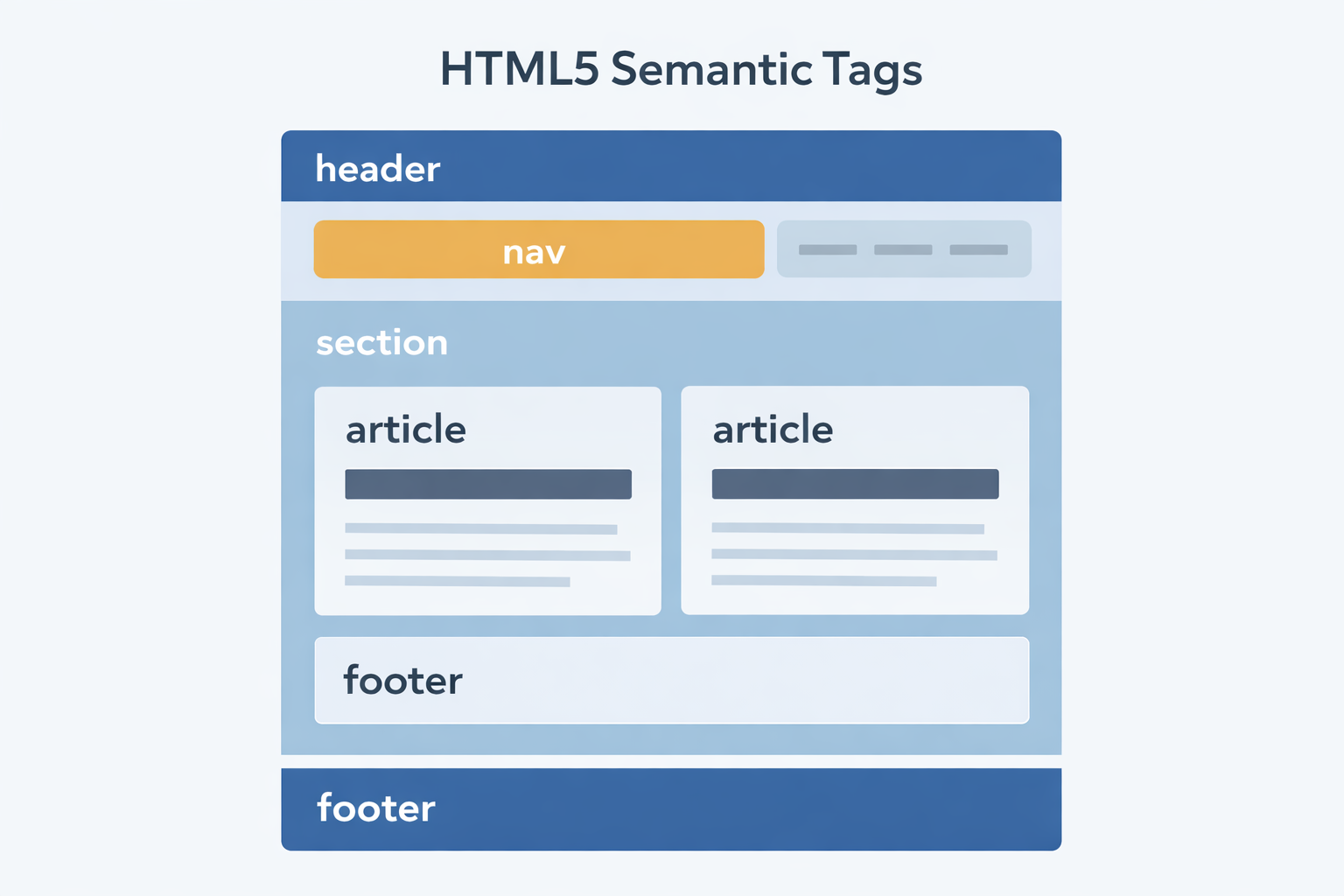
Modern websites rely heavily on HTML5 semantic tags like:
<header>
<footer>
<nav>
<section>
<article>
<main>
These tags:
Improve readability of code
Enhance SEO
Help screen readers understand page structure
Are essential for HTML for SEO
2. Responsive HTML tutorial for beginners Design
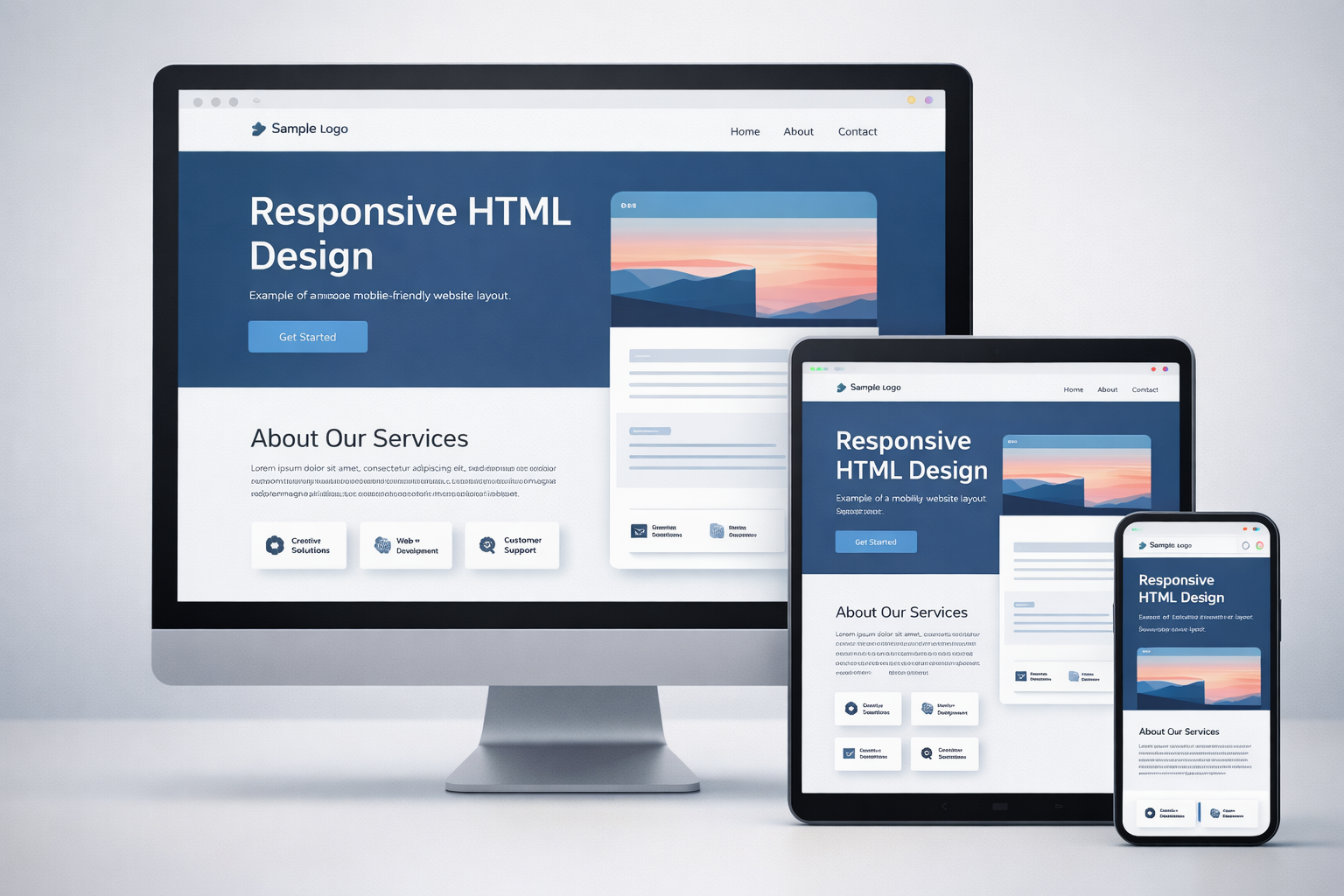
With mobile-first browsing dominating the web, responsive HTML design is a must. HTML works with CSS to make websites adapt to:
Mobile phones
Tablets
Laptops
Large screens
Elements like <picture>, <video>, and flexible layouts help build device-friendly websites.
3. HTML tutorial for beginners for SEO
Using HTML for SEO means:
Search engines understand your content better, which improves rankings and visibility.
4. Web Accessibility Best Practices
In 2026, accessibility is not optional. Following web accessibility best practices ensures your website is usable by everyone, including people with disabilities.
HTML tutorial for beginners helps by:
Supporting ARIA attributes
Enabling keyboard navigation
Improving screen reader support
Enhancing readability with semantic tags
Accessibility also improves SEO and user trust.
Getting Started: Web Development Basics with HTML tutorial for beginners
Step 1: Set Up Your Tools
You only need:
A text editor: VS Code, Sublime Text, or Notepad++
A web browser: Chrome, Firefox, or Edge
Step 2: Basic HTML tutorial for beginners Document Structure
This structure is the foundation of all websites.
Step 3: Important HTML Tags
| Tag | Purpose |
|---|
<h1> – <h6> | Headings |
<p> | Paragraph |
<a> | Links |
<img> | Images |
<ul>, <ol> | Lists |
<form> | Forms |
<input> | User input |
<button> | Buttons |
<div>, <span> | Layout containers |
HTML tutorial for beginners Project Ideas for Beginners
Practicing is the fastest way to learn. These HTML project ideas will build confidence:
Personal portfolio website
Simple blog page
Resume website
Contact form
Landing page
Product showcase page
Each project improves your understanding of layout, structure, and accessibility.
Advanced Concepts to Learn After Basics
To strengthen your front-end developer skills 2026, explore:
HTML5 APIs (Geolocation, Drag & Drop, Web Storage)
Advanced forms and validations
SEO-friendly HTML structure
Accessibility optimization
HTML integration with CSS and JavaScript
These skills prepare you for modern web development.
Why Choose Cambridge Infotech to Learn HTML tutorial for beginners in 2026?
At Cambridge Infotech, we offer industry-focused training that goes beyond theory. Our programs are designed to build strong web development basics and advanced front-end skills.
You get:
We help you grow from a beginner to a confident web developer.
FAQs
Is this an ideal HTML tutorial for beginners?
Yes, this HTML tutorial for beginners is designed from scratch, making it perfect for students with no prior coding experience who want to learn HTML in 2026.
Reference: https://developer.mozilla.org/en-US/docs/Learn/HTML
How long does it take to learn HTML tutorial for beginners?
You can learn the basics of HTML in 2–3 weeks with daily practice. Becoming confident and job-ready usually takes 1–2 months with projects.
Reference: https://www.freecodecamp.org/news/html-for-beginners/
Why are HTML5 semantic tags important?
HTML5 semantic tags improve SEO, accessibility, and code clarity by defining meaningful content structure.
Reference: https://developer.mozilla.org/en-US/docs/Glossary/Semantics
Can HTML alone build a website?
Yes, HTML can create a basic website, but CSS is needed for design and JavaScript for interactivity.
Reference: https://www.w3schools.com/html/html_intro.asp
How does HTML help with SEO?
HTML for SEO uses proper headings, semantic structure, alt attributes, and meta tags to help search engines understand content.
Reference: https://developers.google.com/search/docs/fundamentals/seo-starter-guide
Is accessibility really necessary in modern websites?
Yes. Following web accessibility best practices ensures your site is usable by everyone and improves search rankings and brand trust.
Reference: https://www.w3.org/WAI/fundamentals/accessibility-intro/
What tools do I need to start learning HTML in 2026?
You only need a code editor like VS Code and a browser like Chrome or Firefox.
Reference: https://code.visualstudio.com/docs
What are the best HTML project ideas for beginners?
Some effective HTML project ideas include a personal portfolio, resume website, landing page, contact form, and blog page.
Reference: https://www.freecodecamp.org/news/html-projects-for-beginners/
Is HTML required for front-end developer skills in 2026?
Yes, HTML is a core skill for all front-end developers and is essential before learning CSS, JavaScript, and frameworks.
Reference: https://roadmap.sh/frontend
What should I learn after HTML?
After HTML, you should learn CSS, JavaScript, responsive design, and accessibility to build complete web applications.
Reference: https://developer.mozilla.org/en-US/docs/Learn/Front-end_web_developer
Final Thoughts
This HTML tutorial for beginners is your first step toward mastering the web. When you learn HTML in 2026, you gain:
Strong web development basics
SEO-friendly coding skills
Accessibility awareness
Responsive HTML design knowledge
Career-ready front-end foundations
HTML is not just a language—it is the gateway to digital creativity, professional growth, and future-ready web development.