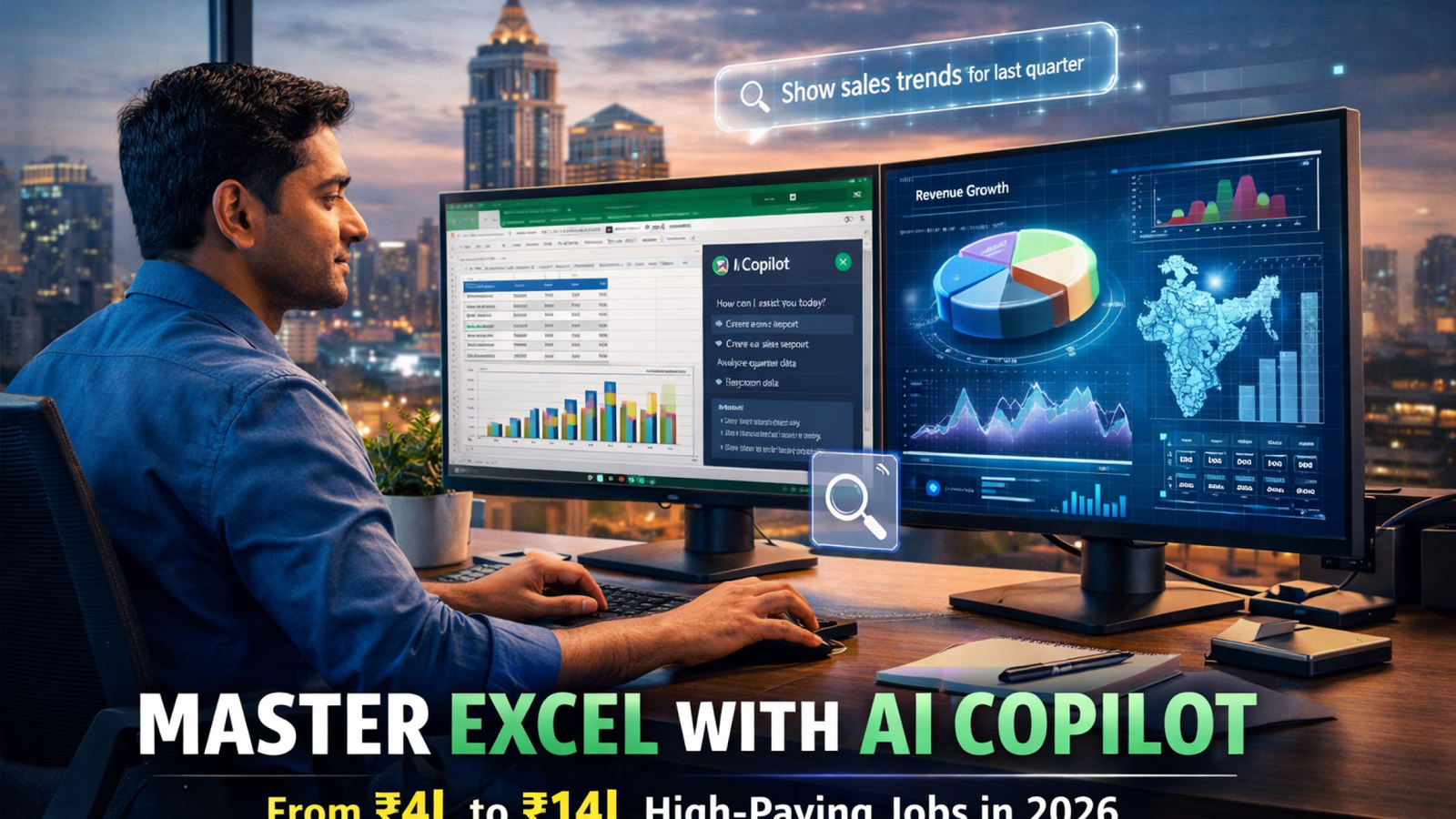
Currently Empty: ₹0.00

Advance And Trending Topics, Artificial Intelligence and Machine Learning, Blog, Career and Salary Focused, Industry specific and business, Learning And Course Related
Why 2026 Is the Year to Learn Microsoft Excel with AI Copilot — 10 Reasons You Cannot Ignore
April 15, 2026

Why 2026 Is the Year to Learn Microsoft Excel with AI Copilot — 10 Reasons You Cannot Ignore
Every few years, a workplace skill shifts from “nice to have” to “non-negotiable.”
Email was that shift in the 1990s. Internet research in the 2000s. Basic Excel in the 2010s.
In 2026, the shift is happening again — and this time it is
Microsoft Excel with AI Copilot
Microsoft has embedded AI directly into the world’s most-used data tool,
and companies across Bangalore — from MNCs to fast-growing startups — are already expecting
their analysts, executives, and managers to use it.
If you are a fresher entering the job market, a professional looking for a promotion,
or a manager trying to make your team faster, this is the single skill that will move the needle
most in 2026.
In this blog, you will find 10 compelling reasons to start learning
Microsoft Excel with AI Copilot right now,
real use cases broken down by job role, the common mistakes people make when learning it,
and a clear path to getting job-ready through
Cambridge Infotech’s Advanced Excel course in Bangalore.
10 Reasons Why Learning Microsoft Excel with AI Copilot in 2026 Is a Career Game-Changer
Reason 1 — Over 1 Billion People Use Excel, and AI Just Supercharged It

Microsoft Excel
has over one billion active users globally — more than any other data tool on the planet.
That installed base means Excel skills are transferable to any company, in any industry, in any country.
AI Copilot in Excel does not replace that advantage; it multiplies it.
You are not learning a new tool from scratch — you are upgrading the world’s most universal skill.
Reason 2 — Microsoft 365 Is Already in 95% of Indian Enterprises
According to
NASSCOM,
over 95% of large and mid-sized Indian enterprises run on Microsoft 365.
That means the company you are interviewing at — or already working in — almost certainly
has Excel with AI Copilot available.
You are not learning a tool you will only use in one place; you are learning the tool that
already sits inside every organisation you will ever work for.
Reason 3 — Employers Are Paying a Clear Salary Premium
Naukri.com and LinkedIn India data from early 2026 show that job listings for
“Data Analyst,” “MIS Executive,” and “Financial Analyst” roles in Bangalore that specifically
mention AI tool proficiency or Microsoft Copilot offer 25 to 40% higher salaries than identical
listings without that requirement.
The market has already priced in the value of
Excel with AI Copilot skills.
Reason 4 — No Coding Required, but Coding-Level Output Is Possible
Before AI Copilot, producing sophisticated data analysis in Excel required either deep formula
knowledge or VBA programming skills — both of which take months or years to develop.
AI Copilot in Excel lets you produce that same output by describing
what you need in plain English.
A complete beginner can produce analysis that would previously have required a data engineer —
on day one.
Reason 5 — It Is the Fastest Way to Add a Data Skill to Your Resume Right Now
Learning Python takes 6–12 months to reach job-ready level.
Learning Power BI professionally takes 3–4 months.
Learning Excel with AI Copilot at an advanced level takes 6–8 weeks
in a structured programme.
For freshers and career switchers on a timeline, that speed advantage is significant —
Cambridge Infotech’s
Advanced Excel course
is designed specifically to maximise that speed without skipping the foundational depth employers test for.
Reason 6 — It Complements Every Other Data Skill You Have or Plan to Learn
Excel with AI Copilot does not compete with Power BI, Python, or Tableau — it connects to all of them.
Microsoft Copilot can export analysis to Power BI for visualisation, call Python scripts inside Excel cells, and connect to Tableau through data exports.
Building your Excel + Copilot foundation first creates a platform that every future data skill plugs into.
Cambridge Infotech’s
Power BI training
and
Data Science course
are natural progressions for students who complete the Excel + AI Copilot programme.
Reason 7 — The Skill Gap Is Real and You Can Fill It
Despite Microsoft Copilot being available since 2023, a
LinkedIn Skills on the Rise 2025 report
found that fewer than 12% of Excel users in India have received any structured training on
AI Copilot features.
That means 88% of people who have access to this tool are not using it effectively.
If you learn it properly now, you enter interviews with a skill most of your competition does not have.
Reason 8 — It Makes You Irreplaceable in Your Current Role
If you are already employed and worried about AI replacing your job, the most effective
response is not to avoid AI — it is to become the person who knows how to use it.
Employees who bring AI Copilot in Excel skills into their team
become the go-to person for reporting, analysis, and dashboard projects.
That visibility translates directly to promotions and salary increments.
Reason 9 — It Is Now a Requirement in Finance, Not Just a Bonus
The
CFO community globally
has moved quickly to adopt Microsoft Copilot for financial reporting and variance analysis.
Accounting firms, investment banks, and corporate finance teams in Bangalore are now including
“Microsoft 365 Copilot” as a listed requirement in job descriptions for financial analyst and
chartered accountant roles — not as a preference, but as a baseline expectation.
Reason 10 — The Window for Being an Early Adopter Is Still Open
In 12 to 18 months, Excel with AI Copilot will be as expected
on a resume as “proficient in MS Office” is today.
Right now, professionals who list it stand out.
By 2028, those who cannot demonstrate it will stand out for the wrong reason.
The early-adopter advantage window is open — but it will not be open for long.
Who Should Learn Microsoft Excel with AI Copilot? (Spoiler: Probably You)
One of the most common questions people ask before enrolling in an
Excel with AI Copilot course is whether it is relevant for their
specific background or job role. Here is a direct answer for each profile:
College Students and Freshers
If you are in your final year of B.Com, BBA, BCA, B.Tech, or any degree that leads to a desk job,
Excel with AI Copilot gives you an immediate differentiator over thousands of other
graduates competing for the same analyst and executive roles.
Most campus placement interviewers ask at least one Excel-based practical question.
Knowing Copilot on top of advanced Excel answers that question before it is even asked.
Cambridge Infotech’s
Basic Excel course
provides the foundation before you move into AI Copilot territory.
Working Professionals — 1 to 5 Years of Experience
If you currently use Excel for reporting and spend hours each week on tasks that feel repetitive —
this is the skill that reclaims that time.
Professionals at this stage are also typically the ones being considered for team lead and
senior analyst positions. Arriving in that conversation with demonstrated
AI Copilot in Excel capability gives you a clear edge over peers with the same tenure.
Finance and Accounting Professionals
Financial modelling, budget tracking, variance reports, and P&L statements — all of these
are Excel-heavy tasks that AI Copilot dramatically accelerates.
CA students, cost accountants, and financial controllers who add
Excel with AI Copilot to their skill set report building financial models in
a fraction of the time, with far fewer formula errors.
Cambridge Infotech’s
MIS Data Management course
is specifically designed for finance and operations professionals looking to systematise their reporting.
HR Professionals
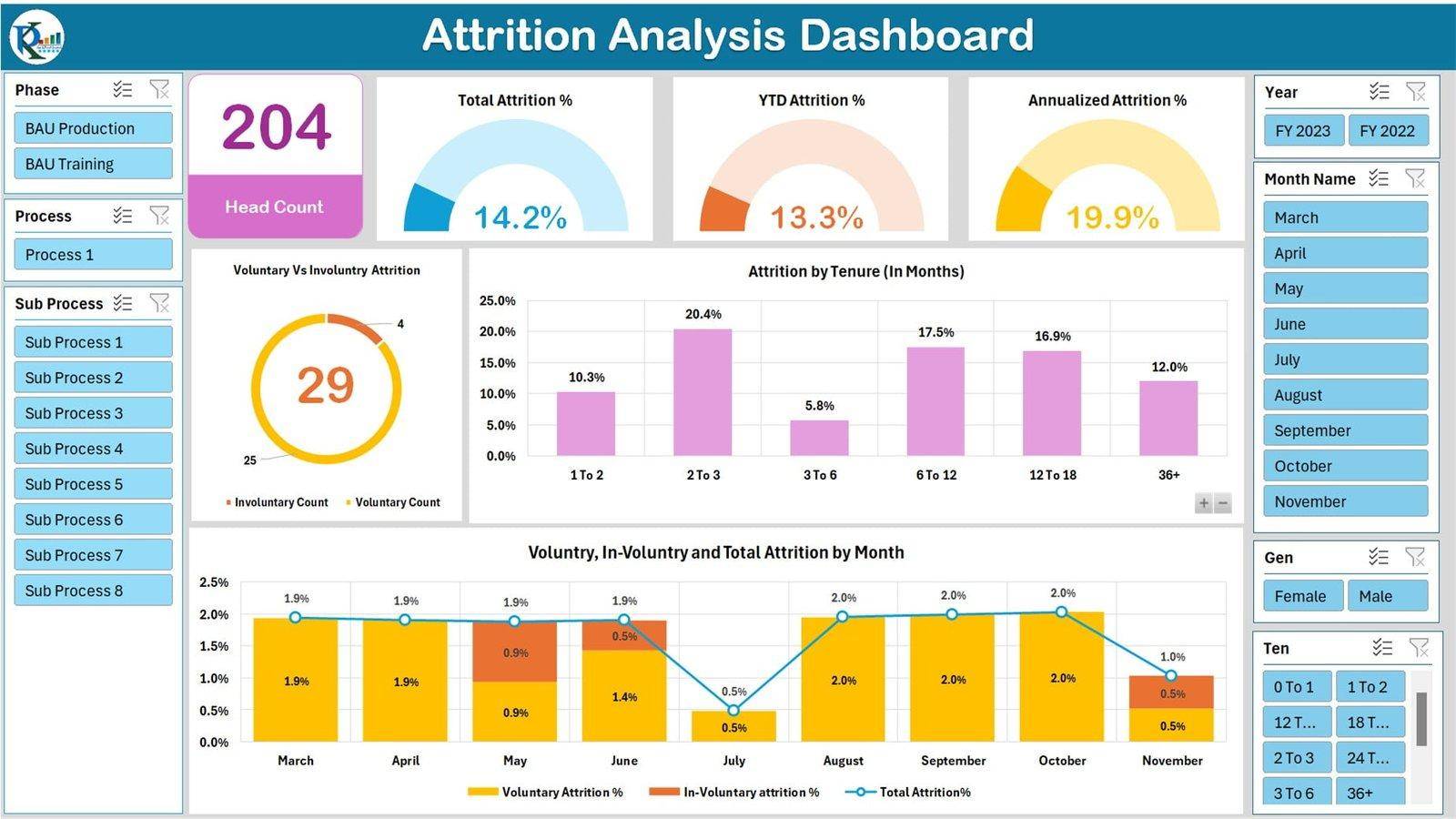
Headcount dashboards, payroll reconciliation, attrition analysis, and recruitment pipeline tracking —
HR teams that adopt Excel with AI Copilot reduce their monthly reporting overhead by
up to 60% according to internal case studies shared in Microsoft’s enterprise case study library.
If you are an HR executive building toward an HR Analytics career, this is your starting point.
Operations and Supply Chain Managers
Inventory tracking, vendor performance scorecards, logistics KPI dashboards, and demand forecasting —
operations roles live in Excel, and AI Copilot turns what used to be a day’s work into a morning task.
The
MIS Database Design training
at Cambridge Infotech extends this capability into structured database-driven reporting for
operations teams managing large data volumes.
Marketing Professionals
Campaign performance tracking, customer segmentation, ROI analysis, and marketing budget management
are all Excel-driven. With AI Copilot in Excel, marketers can produce segment analysis
from thousands of rows of customer data with a single prompt — no data science background required.
A simple test: If your job involves a spreadsheet even once a week — reports, trackers, budgets, or any kind of data review — learning Excel with AI Copilot will make you faster, more accurate, and more valuable to your employer within 30 days of starting the course.
Real Microsoft Excel with AI Copilot Use Cases by Job Role
The best way to understand what Excel with AI Copilot actually
delivers is to see it through the lens of specific workplace tasks. Here are real scenarios across
five job functions:
Finance Team — Monthly P&L Report
Old process: A financial analyst pulls data from three sources, manually consolidates it into one sheet, writes formulas for variance calculations, formats the table, builds a chart, and writes a one-page summary. Total time: 4–6 hours.
With Excel AI Copilot: Copilot consolidates the data sources with a Power Query prompt, writes the variance formulas when asked in plain English, recommends a chart type, and generates a bullet-point summary of key findings. Total time: 45–60 minutes.
HR Team — Attrition Analysis
Old process: HR analyst exports headcount data, manually creates pivot tables by department and tenure band, formats the output, identifies high-attrition segments by eye, and writes a summary email. Total time: 3 hours.
With Excel AI Copilot: Ask Copilot “which departments have the highest attrition in the last 6 months, broken down by tenure?” — it builds the pivot, adds conditional formatting to flag high-risk segments, and drafts a summary. Total time: 20 minutes.
Sales Team — Regional Performance Dashboard
Old process: Sales operations manager manually updates a linked workbook, rebuilds the map chart, adjusts conditional formatting, and emails the dashboard to leadership every Friday. Total time: 2 hours per week.
With Excel AI Copilot: A Copilot-connected Power Query refreshes the data automatically, Copilot updates the formatting rules, and the dashboard is ready in under 10 minutes. For teams wanting to take this further into live visualisation,
Cambridge Infotech’s
Tableau training
extends dashboard skills beyond Excel into enterprise BI platforms.
Operations Team — Inventory Reconciliation
Old process: Operations analyst compares two large spreadsheets with VLOOKUP to find discrepancies, manually flags mismatches, and creates a discrepancy report. Total time: 3–4 hours for a 5,000-row dataset.
With Excel AI Copilot: Ask “compare column A in Sheet 1 with column B in Sheet 2 and highlight any rows that don’t match” — Copilot writes the formula, applies conditional formatting, and generates a discrepancy count. Total time: 8 minutes.
Marketing Team — Campaign ROI Analysis
Old process: Marketing analyst manually tags campaign data, calculates CPA and ROAS for each channel using formulas, builds a comparison chart, and interprets which channels to scale. Total time: half a day.
With Excel AI Copilot: Paste raw campaign data and ask “calculate CPA and ROAS per channel and tell me which channels are performing above average.” Copilot delivers the analysis with a chart and a plain-English recommendation in minutes.
Microsoft Excel with AI Copilot vs ChatGPT — What Is the Actual Difference?
A question many professionals ask is: “Can I just paste my data into ChatGPT instead?”
It is a fair question. Here is the honest answer:
| Feature | ChatGPT / General AI | Microsoft Excel with AI Copilot |
|---|---|---|
| Sees your actual data | Only if you paste it in manually | Yes — reads live spreadsheet directly |
| Writes formulas in your sheet | No — gives you text to copy | Yes — inserts formulas directly into cells |
| Creates charts | Cannot create Excel charts | Generates charts inside your workbook |
| Applies formatting | No | Yes — conditional formatting, colours, styles |
| Data privacy | Data leaves your organisation | Stays within Microsoft 365 tenant |
| Works with 100,000+ row datasets | Context window limitations | Yes — handles large workbooks natively |
| Integration with Office apps | External tool — copy-paste workflow | Native to Excel, Word, Teams, PowerPoint |
ChatGPT and Excel with AI Copilot are not competitors — they are different tools for different jobs.
For data work inside spreadsheets, Copilot is purpose-built and far more powerful.
For writing, summarising, or brainstorming, ChatGPT is the right tool.
The most effective professionals in 2026 use both.
5 Mistakes People Make When Learning Microsoft Excel with AI Copilot
After working with thousands of students across data and analytics courses,
Cambridge Infotech’s trainers have identified the five most common errors
people make when approaching Excel with AI Copilot training.
Knowing these in advance saves you weeks of frustration.
Mistake 1 — Skipping Excel Fundamentals Because “Copilot Will Do It”
This is the most costly mistake. If you do not understand what a VLOOKUP does or how a pivot table is structured, you cannot tell when Copilot has produced an incorrect result — and it does make mistakes.
AI Copilot is a force multiplier for someone who understands Excel.
For someone who does not, it is a confidence trap that produces wrong answers you cannot identify.
Always build the foundation first.
Cambridge Infotech’s
Basic Excel course
takes even a complete beginner to a solid intermediate level before the advanced AI features are introduced.
Mistake 2 — Using Outdated YouTube Tutorials from 2022 or 2023
Excel Copilot features, prompting strategies, and Python-in-Excel capabilities evolve with every Microsoft 365 update.
A tutorial recorded in 2022 will not show you the Copilot panel, and a 2023 video will miss
the Python integration and advanced formula generation features released in 2024–2025.
Instructor-led training with updated curriculum — such as Cambridge Infotech’s regularly
revised programme — ensures you learn what is actually in the tool today, not what was there two years ago.
Mistake 3 — Only Practising on Clean, Small Sample Datasets
Tutorial datasets have 20–50 rows, perfectly formatted, with no missing values or inconsistencies.
Real business data has 50,000 rows, five different date formats in the same column, merged cells,
and values encoded as text instead of numbers.
If your training only exposes you to clean data, you will freeze the first time Copilot
gives you a confusing result on a real dataset.
Cambridge Infotech’s
Data Analytics course
specifically trains students on realistic, messy datasets drawn from actual business scenarios.
Mistake 4 — Not Building a Portfolio During the Course
Completing a course is not the same as demonstrating capability.
Recruiters hiring for analyst roles will ask you to show your work.
If you do not build at least 3 to 5 dashboard projects, automated report templates,
or data analysis case studies during your training, you leave the course with a certificate
but no evidence. A good course forces this output — make sure yours does.
Mistake 5 — Learning Excel with AI Copilot in Isolation
Excel with AI Copilot is most powerful when it connects to other tools.
Professionals who also know Power BI can push Copilot-generated analysis straight into
live visualisations. Those who know Python can use Copilot to write scripts that run inside Excel cells.
Learning Excel + Copilot alongside even one complementary tool —
Power BI,
Python,
or
Tableau
— doubles your value in the job market.
Your 8-Week Learning Roadmap: From Zero to Microsoft Excel with AI Copilot Professional
Here is the exact week-by-week structure Cambridge Infotech follows for students learning
Excel with AI Copilot from scratch:
| Week | Topics Covered | Milestone |
|---|---|---|
| Week 1 | Excel interface, data entry, basic formulas (SUM, AVERAGE, COUNT, IF), sorting, filtering | Build your first structured data table |
| Week 2 | VLOOKUP, XLOOKUP, HLOOKUP, INDEX-MATCH, nested IF, data validation, named ranges | Complete a data lookup challenge using real sales data |
| Week 3 | Pivot tables, pivot charts, slicers, Power Query basics, first Copilot introduction | Use Copilot to build your first pivot table from a natural language prompt |
| Week 4 | Conditional formatting (manual + Copilot-generated), chart types, dynamic arrays, UNIQUE/FILTER/SORT functions | Build a dynamic sales tracker with automated highlighting |
| Week 5 | Advanced Power Query, data cleaning with Copilot, multi-source data consolidation | Clean a messy 10,000-row business dataset using Copilot prompts |
| Week 6 | Dashboard design principles, interactive slicers, Copilot-assisted chart generation, layout best practices | Build a complete management dashboard — Portfolio Project 1 |
| Week 7 | Python in Excel (Copilot-written scripts), VBA macro basics, automation of recurring reports | Automate a weekly report that previously took 3 hours manually |
| Week 8 | Capstone project, mock interview preparation, resume review, LinkedIn profile optimisation | Complete industry-grade capstone dashboard — Portfolio Project 2 |
This structured eight-week path is available in both weekday and weekend batch formats at Cambridge Infotech.
For professionals already at an intermediate Excel level, an accelerated four-week track
starting from Week 3 is also available.
Contact the admissions team
to find the batch that fits your schedule.
Companies in Bangalore Actively Hiring Microsoft Excel with AI Copilot Professionals
The demand for professionals with advanced
Excel with AI Copilot skills in Bangalore is concentrated in
these sectors and company types:
BFSI — Banking, Financial Services & Insurance
HDFC Bank, ICICI Bank, Axis Bank, and major insurance companies have large analytics and
reporting teams that use Excel-based tools daily.
Microsoft Copilot for Finance — a specific Copilot layer built on top of Excel — is being
rolled out across BFSI institutions in India in 2026.
Candidates with both accounting knowledge and
Advanced Excel + AI Copilot skills
are among the most sought-after hires in this sector.
IT Services and Consulting
Companies like Infosys BPM, Wipro BPS, TCS, Accenture Operations, and Deloitte India hire
large cohorts of MIS, data, and analyst professionals every year.
Their internal reporting infrastructure is built on Microsoft 365 — and they are actively
looking for people who already know how to use Copilot features productively from day one.
E-commerce and Retail Tech
Flipkart, Amazon India, Meesho, Nykaa, and Swiggy all have operations, finance, and category
management teams that rely heavily on Excel-based reporting.
The combination of AI Copilot in Excel with basic
data analytics skills
is particularly valued in high-volume e-commerce environments where reporting speed directly affects
business decisions.
Healthcare and Pharma
Apollo Hospitals, Narayana Health, and major pharma companies in Bangalore’s Electronic City
corridor have growing data and analytics teams. Patient data tracking, clinical trial reporting,
and supply chain analytics are all Excel-heavy domains where AI Copilot creates measurable efficiency gains.
Startups and SMEs
Bangalore’s startup ecosystem — particularly in SaaS, fintech, and logistics — increasingly hires
generalist professionals who can own their own data reporting. A single person with strong
Excel with AI Copilot skills can replace the need for a separate data analyst
hire in the early stages of a company, making this skill disproportionately valuable for
professionals joining growing startups.
Frequently Asked Questions
1. Why should I learn Microsoft Excel with AI Copilot in 2026?
Because the skill gap is real, the salary premium is documented, and the window for
being an early adopter is still open. Companies using Microsoft 365 expect employees
to use Copilot for faster reporting, automated analysis, and smarter dashboards.
Professionals with this skill command 25–40% higher salaries than those using basic Excel alone.
2. Is Microsoft Excel with AI Copilot difficult to learn?
No. AI Copilot in Excel is specifically designed to lower the barrier to advanced Excel use.
You interact with it in plain English — even beginners produce professional-grade analysis within days of starting a structured course.
The difficulty lies in learning Excel fundamentals, which is why a structured beginner-to-advanced course gives you the right progression.
3. Who should learn Microsoft Excel with AI Copilot?
Anyone who works with data regularly — from college freshers to finance managers, HR professionals,
marketing analysts, operations executives, and business owners.
If your job involves spreadsheets, reports, or data decisions even once a week,
this skill will directly improve your speed, accuracy, and career value.
4. What is the salary of an Excel + AI Copilot professional in Bangalore?
Entry-level MIS and analyst roles: ₹4–6 LPA. Intermediate analyst and financial analyst roles: ₹6–12 LPA.
Senior business analyst, BI analyst, and operations manager roles: ₹12–20 LPA.
The upper range is reached by combining Excel with AI Copilot skills with
tools like
Power BI
or
Python.
5. How is Microsoft Excel with AI Copilot different from ChatGPT?
Copilot lives inside your spreadsheet and sees your actual data — it writes formulas directly into cells,
creates charts in your workbook, and applies formatting rules automatically.
ChatGPT is a general AI chatbot that gives you text you have to copy and paste.
For data work in Excel, Copilot is purpose-built and far more powerful.
For general writing and research, ChatGPT is the right tool. The best professionals use both.
6. Can freshers learn Microsoft Excel with AI Copilot without prior experience?
Yes — completely. Cambridge Infotech’s course starts from absolute basics and builds progressively.
No prior Excel or programming experience is required. Most freshers complete the course within
6–8 weeks and are interview-ready immediately after. The
Basic Excel course
can also be taken first for students who prefer an even gentler start.
7. What mistakes do people make when learning Microsoft Excel with AI Copilot?
The three most damaging mistakes: skipping Excel fundamentals (you cannot catch Copilot’s errors if you do not understand the basics); using outdated tutorials that pre-date Copilot features; and only practising on clean toy datasets instead of messy real-world data.
A structured, up-to-date, instructor-led course avoids all three of these pitfalls by design.
8. What industries use Microsoft Excel with AI Copilot the most?
Banking and financial services, IT services and consulting, e-commerce, logistics and supply chain,
healthcare administration, retail, and consulting firms — essentially any industry that produces
data reports, tracks KPIs, or manages budgets.
In Bangalore specifically, BFSI, IT services, and e-commerce are the three highest-hiring sectors for Excel + AI Copilot professionals right now.
Ready to Microsoft Excel with AI Copilot?
Join Cambridge Infotech’s Advanced Excel + AI Copilot course — the most practical, job-focused Excel training in Bangalore.
Weekday & weekend batches · Real business datasets · Portfolio projects · 100% placement support
Call / WhatsApp: +91 99024 61116 |
enquiry@cambridgeinfotech.io