

Currently Empty: ₹0.00
Learn CSS for Beginners The Ultimate Guide to Web Styling 2026
Introduction
If you want to Learn CSS for Beginners, this guide will take you from zero to styling websites like a pro. (Cascading Style Sheets) is the magic wand that turns dull HTML into stunning, interactive websites. Whether you’re a complete newbie or refreshing your skills, this comprehensive guide will take you from zero to confident CSS user.
At Cambridge Infotech, we specialize in structured tech education, and this guide will cover:
What is CSS and why it matters
- Core concepts (selectors, properties, box model)
- Layout techniques (Flexbox, Grid, Responsive Design)
- Common mistakes & best practices
- Free & paid resources to master CSS
Let’s dive in!
What is CSS and
What Does CSS Do?
When you learn CSS for beginners, you’ll master colors, fonts, and responsive layouts. This learn CSS for beginners guide recommends daily practice.
Why Learn CSS for Beginners in 2026?
High Demand Skill – Essential for front-end developers, designers, and WordPress users.
Better Career Opportunities – Average salary for CSS-skilled devs: $75,000/year (Source: Glassdoor).
Creative Control – Bring your design ideas to life.
Works with All Frameworks – React, Angular, and Vue all rely on CSS.
Learning Path: CSS Roadmap for Beginners
When you learn CSS for beginners, following a structured roadmap makes your journey faster and easier: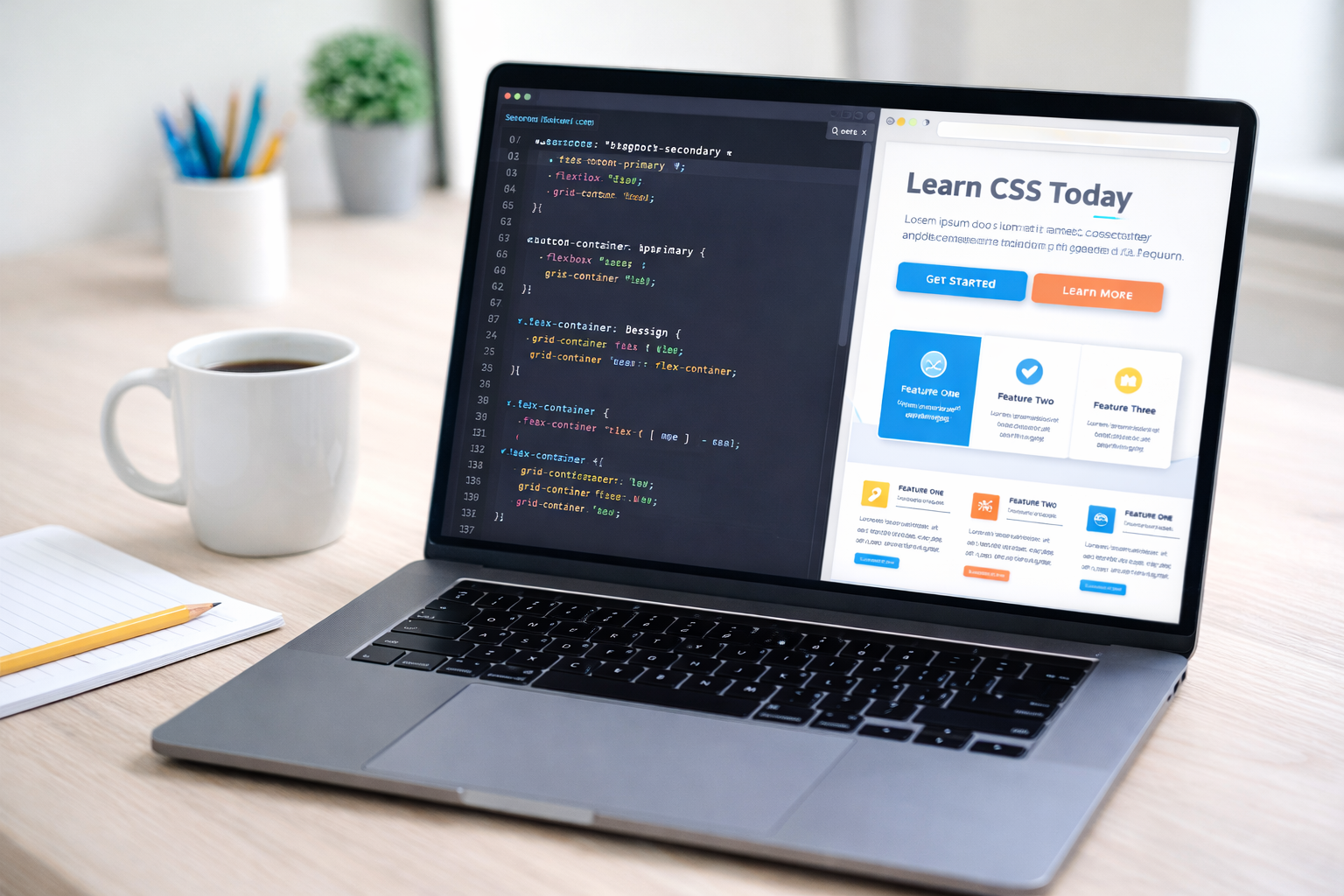
Day 1–2
✔ Understand CSS syntax
✔ Learn selectors (element, class, ID)
✔ Apply basic colors and fonts
Day 3–4
✔ Box model (margin, padding, border)
✔ Width, height, overflow
✔ Backgrounds and borders
Day 5–6
✔ Flexbox layouts
✔ Alignment & spacing
✔ Real mini project (navbar, card layout)
Day 7–8
✔ CSS Grid
✔ Page layouts
✔ Responsive design
Day 9
✔ Transitions, hover effects
✔ Basic animations
Day 10
✔ Mini website project
✔ Code review & best practices
This roadmap helps students complete learn CSS for beginners basics in 10 days with confidence.
CSS Basics
Syntax, Selectors, and Properties
How learn CSS for beginners Works
CSS follows a simple structure:
css
selector {
  property: value;
}
Example:
css
h1 {
  color: #2E86C1;  /* Changes heading color to blue */
  font-family: Arial;
}
Three Ways to Add CSS
| Method | Use Case | Example |
|---|---|---|
| Inline CSS | Quick fixes | <p style="color:red;">Text</p> |
| Internal CSS | Small projects | <style> p { color: blue; } </style> |
| External CSS | Best for real websites | <link rel="stylesheet" href="style.css"> |
Essential CSS Properties
Here are 10 must-know properties for beginners:
| Property | Description | Example |
|---|---|---|
color | Text color | color: #E74C3C; |
font-size | Text size | font-size: 18px; |
margin | Outer spacing | margin: 20px; |
padding | Inner spacing | padding: 10px; |
background-color | Background color | background: #F4F6F6; |
border | Element border | border: 1px solid black; |
display | Layout control | display: flex; |
width / height | Size adjustment | width: 100%; |
text-align | Text positioning | text-align: center; |
box-shadow | Adds shadows | box-shadow: 2px 2px 5px grey; |
CSS Selectors – How to Target Elements
Basic Selectors
- Element Selector →
p { }(Styles all<p>tags) - Class Selector →
.button { }(Styles elements withclass="button") - ID Selector →
#header { }(Styles onlyid="header")
Advanced Selectors
- Grouping →
h1, h2 { color: blue; } - Descendant →
nav a { }(Styles links inside<nav>) - Pseudo-classes →
a:hover { color: red; }(Styles links on hover)
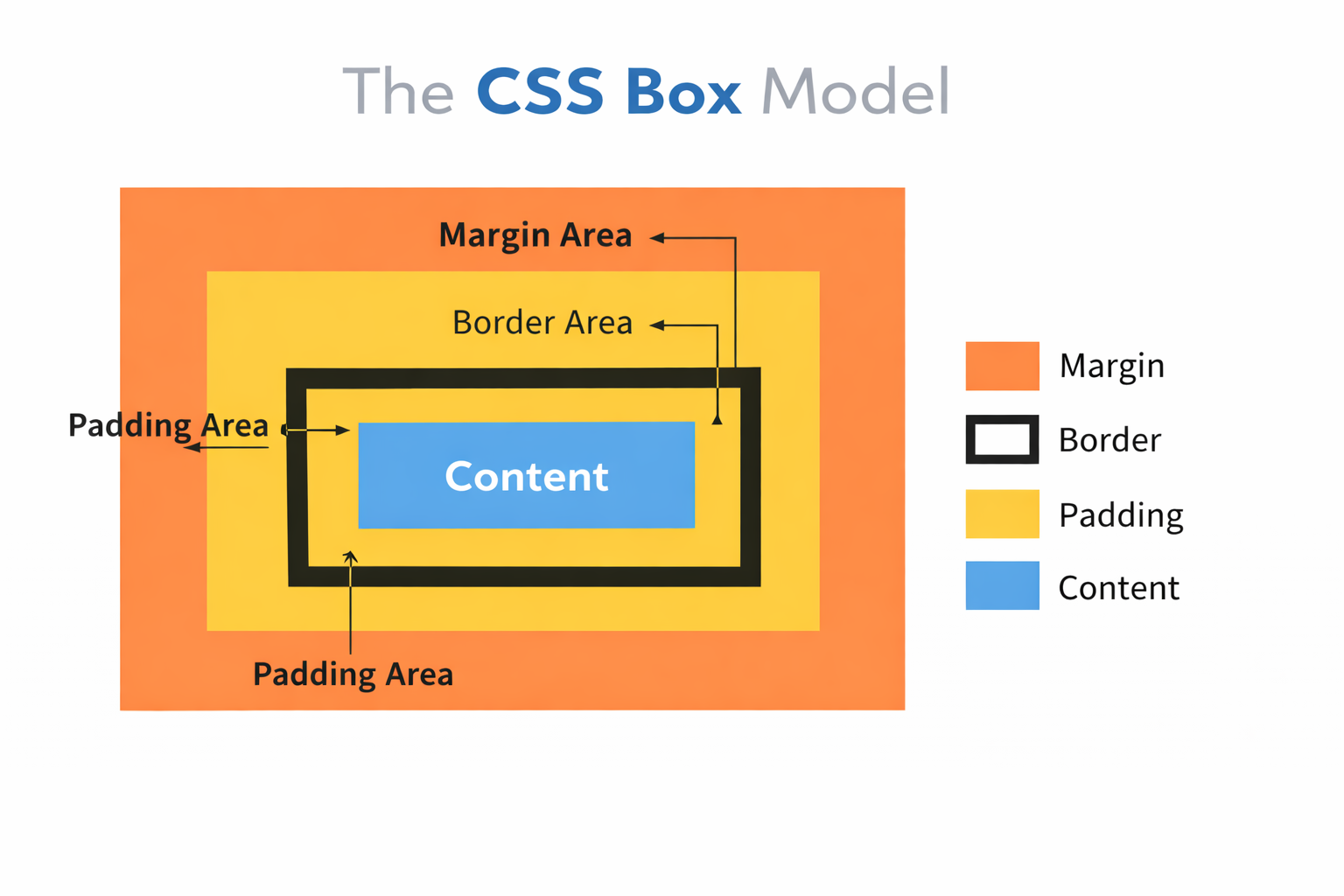
The CSS Box Model – Explained Simply
When you Learn CSS for Beginners, you’ll start by understanding how selectors target HTML elements:
- Content (Text, images)
- Padding (Space inside)
- Border (Outline)
- Margin (Space outside)
Example:
css
.box {
  width: 200px;
  padding: 20px;
  border: 2px solid black;
  margin: 10px;
}
CSS Layouts – Flexbox & Grid
Flexbox (For 1D Layouts)
Flexbox makes alignment easy:
css
.container {
  display: flex;
  justify-content: center; /* Horizontal alignment */
  align-items: center;    /* Vertical alignment */
}
CSS Grid For 2D Layouts
Grid is perfect for complex layouts:
css
.grid-container {
  display: grid;
  grid-template-columns: 1fr 1fr 1fr; /* 3 equal columns */
  gap: 20px; /* Spacing between items */
}
Responsive Design (Media Queries)
Make your site mobile-friendly:
css
@media (max-width: 768px) {
  .menu { display: none; }  /* Hides menu on small screens */
  .mobile-menu { display: block; }  /* Shows mobile menu */
}
Common learn CSS for beginners Mistakes (And How to Fix Them)
Using too many !important tags → Leads to messy code.
Fix: Use specific selectors instead.
Not using external CSS files → Makes maintenance hard.
Fix: Always link an external .css file.
Ignoring browser compatibility → Some styles break in older browsers.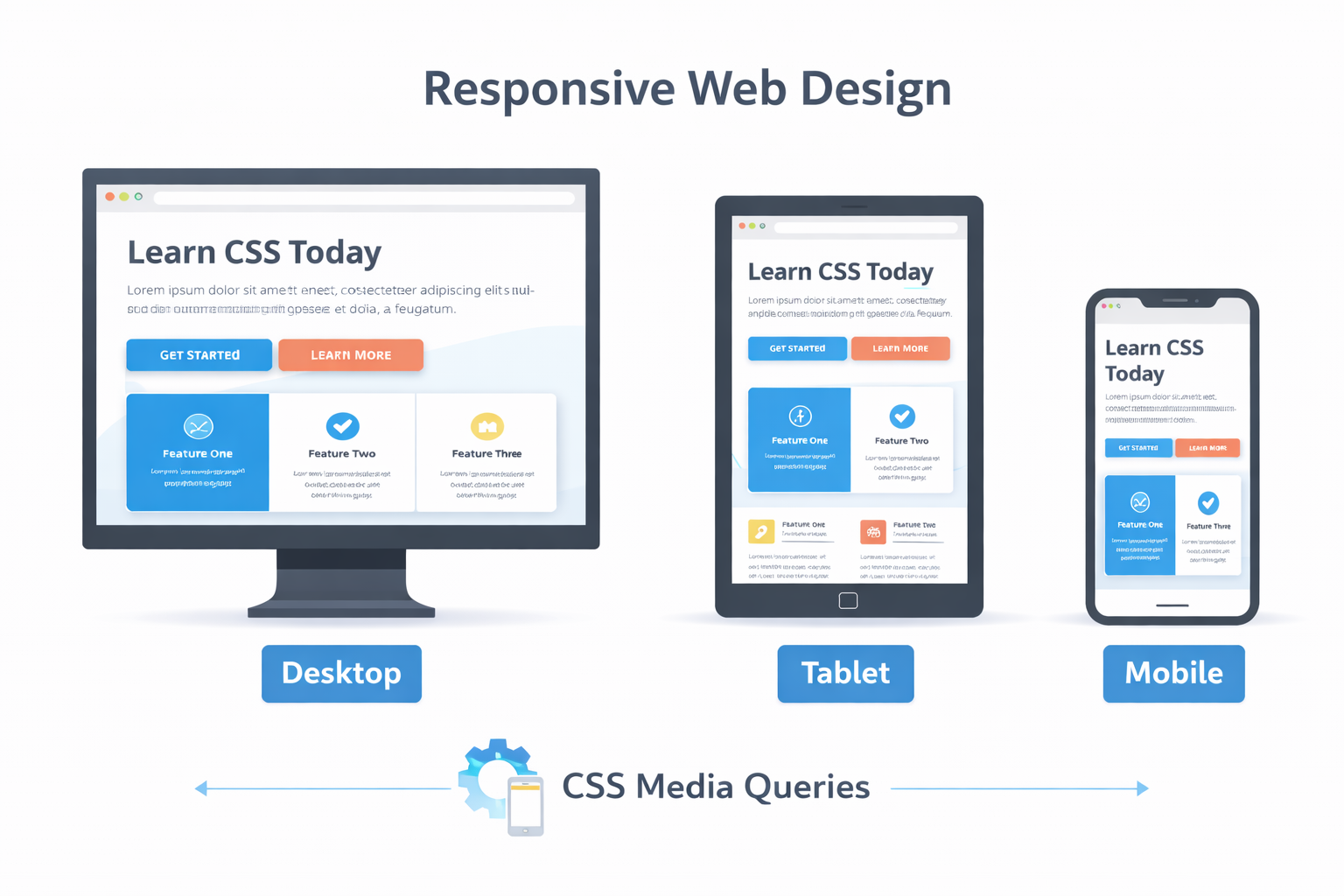
Fix: Use Autoprefixer or vendor prefixes (-webkit-, -moz-).
Where to Learn CSS Online?
Free Resources
- MDN Web Docs (Best for fundamentals)
- W3Schools CSS Tutorial (Interactive examples)
- CSS-Tricks (Advanced techniques)
Paid Courses
- Cambridge Infotech’s Web Design Bootcamp (Hands-on projects)
- Udemy’s “Advanced CSS and Sass” (For deep learners)
FAQs
1. Can I learn CSS for beginners in 10 days?
Yes! With focused daily practice, you can learn the fundamentals of CSS in 10 days. This includes syntax, selectors, box model, Flexbox, basic Grid, and simple responsive design. By the end of 10 days, you’ll be able to style basic websites and create clean layouts. However, becoming highly proficient takes continuous practice and real-world projects.
2. Is CSS hard to learn for beginners?
Not at all! CSS is one of the easiest technologies to start with in web development. It uses simple, readable rules like:
There’s no complex logic or heavy coding involved, making CSS perfect for beginners who want to see quick visual results.
3. How long does it take to learn CSS for beginners properly?
Here’s a realistic timeline:
1 Week: Basics – syntax, selectors, colors, fonts
2 Weeks: Box model, layouts, Flexbox
3 Weeks: Grid, responsiveness, positioning
1 Month: Build small projects confidently
2–3 Months: Professional-level understanding with projects
So, you can start using CSS in days, but mastering it takes consistent practice over a few months.
4. Is learn CSS for beginners alone enough to get a job?
CSS alone is not enough, but it is a core requirement.
To get a front-end job, you should combine CSS with:
HTML
JavaScript
Responsive design
Basic frameworks (Bootstrap, Tailwind, React basics)
Together, these skills open doors to roles like:
Front-End Developer
Web Designer
UI Developer
5. Is there a “Learn CSS for Beginners PDF” or free download?
Yes! You can download free CSS learning resources and cheat sheets from:
CSS-Tricks Almanac – Complete CSS reference
MDN Web Docs – Best beginner-to-advanced guide
W3Schools CSS PDF – Beginner-friendly tutorials
HTML & CSS QuickGuide PDF – Ideal for quick revision
These PDFs and cheat sheets are perfect for offline learning and interview preparation.
Learn CSS for beginners is the foundation of creating beautiful, responsive, and professional websites. When you Learn CSS for Beginners, you are not just learning how to style pages—you are gaining the power to turn simple ideas into visually stunning digital experiences. CSS is the bridge between plain structure and modern design, and it plays a vital role in every successful website on the internet today.
In 2025, CSS is more relevant than ever. With businesses focusing heavily on user experience, mobile-first design, and fast-loading websites, skilled CSS developers are in high demand. Whether your goal is to become a Front-End Developer, Web Designer, UI Developer, or Full Stack Developer, mastering CSS gives you a strong competitive edge in the job market.
At Cambridge Infotech, we believe learning should be practical, industry-focused, and career-oriented. Our training programs are designed to help beginners build confidence through real-time projects, expert mentorship, and job-ready skills. From understanding basic styling to building responsive layouts and modern UI designs, CSS is your first big step toward a successful web development career.
Remember, every professional developer once started as a beginner. With consistent practice, curiosity, and the right guidance, you can master CSS and open doors to exciting opportunities in the tech industry.
Start your journey today.
Learn CSS. Build real projects. Shape your future with Cambridge Infotech.
Check out Cambridge Infotech’s Web Development Course today!
Learn more about
Cloud Computing Placement Program combines industry-aligned training with job placement assistance to help you land roles in AWS, Azure, and Google Cloud. Gain hands-on experience, earn certifications, and connect with top employers—all in one program. Start your journey to a high-paying cloud career today at Cambridge InfoTech
Our hands-on courses teach you how to transform raw data into actionable insights using Microsoft’s powerful BI tools. Whether you’re a beginner or looking to advance your skills, our expert-led training covers DAX, Power Query, dashboards, and real-world reporting scenarios. Boost your career in business intelligence—enroll today at Cambridge InfoTech
top-rated AWS training programs designed to help you pass certification exams and gain in-demand cloud skills. Whether you’re preparing for AWS Solutions Architect, Developer, or SysOps certifications, our expert-led courses offer hands-on labs, real-world scenarios, and exam-focused preparation. Enroll today at Cambridge InfoTech and take the next step toward becoming an AWS certified professional
Azure training to help you master cloud computing, DevOps, and more. Whether you’re a beginner or an advanced professional, our courses provide hands-on learning with real-world scenarios. Visit Cambridge InfoTech to find the best Azure training programs near you and boost your cloud career today
CATEGORIES
Programming Languages
Database
App Development
Web Development
Full Stack Developer
Project Management
Data Science & Analytics
Cloud Computing
Cybersecurity Program
Operating Systems
Devops and Automation
Artificial Intelligence
Software Testing & QA
Six Sigma Leadership Program
Graphic Design
Microsoft Office
Tally Accounting
SAP Course
CompTIA
Spoken English Course