
Graphic Design
Adobe Illustrator Full Course in Bangalore – Master Graphic Design with Certification
Talk to Learning Advisor
Adobe Illustrator course info
What is Adobe Illustrator? The Ultimate Guide for Aspiring Designers
Adobe Illustrator is the industry-leading vector graphics software used by millions of designers, artists, and marketers worldwide. Developed by Adobe Inc., it empowers users to create scalable, high-resolution designs—from logos and icons to illustrations, typography, and complex branding projects.
Unlike pixel-based tools like Photoshop, Illustrator uses mathematical equations (vectors) to generate artwork. This means your designs remain crisp at any size—whether printed on a business card or blown up on a billboard.
Why Learn Adobe Illustrator? Powerful Benefits for Your Career & Creativity
Adobe Illustrator isn’t just another design tool—it’s a career accelerator and creative powerhouse. Whether you’re a student, freelancer, or corporate professional, mastering Illustrator unlocks game-changing advantages. Here’s why investing in Illustrator training is one of the smartest decisions you’ll make:
1. Become a Versatile, In-Demand Designer
Illustrator skills are required for 78% of graphic design jobs (Indeed, 2024). Unlike niche tools, Illustrator’s applications span:
Branding (Logos, Business Cards, Packaging)
Digital Art (Illustrations, Infographics, NFTs)
Marketing (Social Media Graphics, Ad Creatives)
Print Media (Brochures, Billboards, Merchandise)
Real-World Impact: Companies pay 30% higher rates for designers with Illustrator expertise (PayScale Data).
2. Future-Proof Your Career
With the explosion of digital content, demand for vector design skills is skyrocketing:
📈 45% growth in UI/UX design jobs requiring Illustrator (LinkedIn 2023)
📈 Freelancers charge 50–150/hour for specialized Illustrator work (Upwork)
Case Study: A Bangalore-based designer tripled her income after adding Illustrator to her skill set—landing international clients.
3. Stand Out with Professional-Quality Work
Illustrator gives you an unfair advantage over competitors using amateur tools:
✔ Pixel-Perfect Precision (No blurry edges at any zoom level)
✔ Advanced Typography (Custom fonts, text effects, kerning control)
✔ Time-Saving Features (Global colors, artboards, asset exporting)
4. Work Faster & Smarter
Learn industry workflows used by top agencies:
Rebrand a company in hours (not days) with global colors
- Automate repetitive tasks with Actions and Scripts
5. Express Unique Creativity
From minimalist logos to complex 3D art, Illustrator removes technical barriers:
Create custom brushes for signature styles
Design isometric graphics for tech presentations
Develop brand mascots with the Puppet Warp tool
Fun Challenge: Try recreating Amazon’s logo using just the Pen Tool!
6. Build a Profitable Freelance Business
Top Illustrator gigs on freelance platforms:
Logo Design (100–2,000 per project)
Book Illustrations (500–5,000 per series)
Merchandise Design (Passive income from Redbubble/Teepublic)
Success Story: A 19-year-old student earned ₹4 lakh/month designing Twitch emotes in Illustrator.
7. Gain a Competitive Edge in Digital Marketing
Modern marketers must create thumb-stopping visuals:
Data Visualization (Charts, Animated Infographics)
Social Media Templates (Instagram Stories, Pinterest Pins)
E-Commerce Assets (Product Mockups, Packaging)
Stat: Posts with custom illustrations get 3x more engagement (HubSpot).
8. Open Doors to Global Opportunities
Illustrator is the universal language of design:
Remote Jobs – Work for clients in the US, Europe, or Australia
Agency Careers – Join top firms like Ogilvy or Landor
Passive Income – Sell templates on Creative Market
Hot Niche: NFT Artists using Illustrator command $10k+ per drop.
9. Join a Thriving Creative Community
Connect with 50M+ Illustrator users worldwide:
Dribbble & Behance – Showcase your portfolio
Adobe Live – Learn from design celebrities
Local Meetups – Network with Bangalore’s top agencies
How Much Can You Earn with Adobe Illustrator? (2025 Salary Guide)
If you’re learning Adobe Illustrator, you’re likely wondering: “How much can I actually earn?” The answer depends on your role, experience, and industry—but one thing is clear: Illustrator skills pay well. Below, we break down salary trends in India and globally, along with tips to maximize your income.
1. Illustrator Salaries in India (2024)
Entry-Level (0-2 Years Experience)
Graphic Designer: ₹2.5–4.5 LPA
UI/UX Designer: ₹3–6 LPA (Higher demand for vector-based UI work)
Illustrator (Freelance): ₹500–2,000 per hour
Mid-Level (3-5 Years Experience)
Brand Designer: ₹6–10 LPA (Logos, packaging, style guides)
Motion Graphics Artist: ₹7–14 LPA (Animated vector graphics for ads)
Freelance Specialists: ₹1,500–5,000 per project (NFT art, infographics)
Senior-Level (5+ Years Experience)
Art Director: ₹15–30 LPA (Manages design teams for agencies)
Senior UI/UX Designer: ₹12–25 LPA (App icons, design systems)
Top Freelancers: ₹50,000–5,00,000 per logo/branding project
Key Insight:
UI/UX designers with Illustrator skills earn 30% more than general graphic designers.
Freelancers in niches like NFT art and 3D vector design make ₹1L+ per project.
2. Global Illustrator Salaries (USD/GBP/AUD)
United States
Junior Designer: 45,000–65,000
Senior Designer: 70,000–100,000
Freelance Rate: 50–300/hour
United Kingdom
Mid-Level Designer: £40,000–£60,000
Art Director: £60,000–£90,000
Australia
Illustrator (Corporate): AUD 75,000–100,000
Freelance Animators: AUD 100–250/hour
Why It Matters:
Remote jobs from the US/EU pay 5–10x more than Indian salaries.
Platforms like Upwork and Toptal help freelancers land global clients.
3. Highest-Paying Illustrator Careers
A. UI/UX Designer (₹6–25 LPA)
Why? Tech companies need vector-based app icons, wireframes, and illustrations.
Example: Companies like Swiggy and Flipkart hire Illustrator experts.
B. Motion Graphics Artist (₹8–30 LPA)
Why? Explainer videos, ads, and social media content rely on animated vectors.
Pro Tip: Learn After Effects + Illustrator to double your income.
C. NFT Illustrator (5,000–50,000 per project)
Why? Crypto artists use Illustrator for vector-based NFT collections.
Success Story: A Bangalore designer sold 10 NFTs for $100,000.
D. Brand Identity Designer (₹5–20 LPA)
Why? Businesses constantly rebrand—logos and packaging are evergreen needs.
Earning Potential: A single logo redesign can fetch ₹50,000–5,00,000.
4. How to Increase Your Illustrator Salary?
✔ Get Certified
Adobe Certified Experts (ACE) earn 20–30% more (Adobe 2023 Report).
✔ Specialize in Lucrative Niches
3D Vector Art (₹1L+ per project)
Infographic Design (₹50,000–2L per client)
✔ Build a Strong Portfolio
Showcase work on Dribbble/Behance to attract international clients.
✔ Freelance on Global Platforms
Upwork & Fiverr pay $50–300/hour for expert illustrators.
What You’ll Learn: Master Adobe Illustrator Like a Pro
This isn’t just another basics course – you’ll graduate with portfolio-ready skills used by top design agencies and freelancers earning ₹50k+ per project.
1. Foundations:
✔ The Illustrator Workspace Decoded
Customize your workspace for maximum efficiency
Master panels like Layers, Properties, and Pathfinder
✔ Precision Drawing Techniques
Pen Tool mastery (create complex shapes with 95% accuracy)
Curvature Tool vs. Pen Tool: When to use each
Live Trace: Convert sketches/photos to vectors
✔ Color Like a Pro
Global swatches for brand consistency
Gradient meshes for realistic textures (e.g., fabric, metal)
Spot colors for professional print output
2. Core Design Skills:
✔ Logo & Brand Identity Design
Create 5+ logo styles (wordmarks, emblems, mascots)
Develop full brand kits (business cards, letterheads)
✔ Typography That Sells
Kerning and leading for readability
Create custom font effects (3D, neon, distorted)
Design multilingual text layouts
✔ Real-World Projects:
Social Media Toolkit (Instagram posts, stories, ads)
Product Packaging (Die-cut designs, 3D mockups)
- Event Poster Series (Concert, conference, festival)
3. Advanced Mastery
✔ 3D & Isometric Design
Extrude & Bevel for packaging mockups
Build isometric cityscapes and infographics
✔ Motion Graphics Prep
Design vector assets for After Effects animation
Create animated stickers for WhatsApp/Telegram
✔ Niche Specializations
NFT Art: Generative vector collections
UI/UX Design: App icons and illustration systems
Fashion: Repeat patterns for textiles
Who Is This Adobe Illustrator Course For?
This course is designed for aspiring designers, professionals, and creative minds who want to turn their ideas into stunning visuals and build a lucrative career in the design industry.
1. Absolute Beginners
(No prior experience needed!)
✔ “I’ve never opened Illustrator but want to learn from scratch.”
✔ “I’m a hobbyist looking to upgrade my skills professionally.”
✔ “I’ve tried YouTube tutorials but need structured training.”
What You’ll Gain:
Step-by-step guidance from basic tools to advanced projects
Hands-on exercises to build confidence fast
- Certification to boost your credibility
2. Graphic Designers & Artists
(Upgrade your toolkit and stand out!)
✔ “I know Photoshop but want to master vectors.”
✔ “I design logos but want to learn advanced branding techniques.”
✔ “I’m an artist looking to digitize my work for prints/NFTs.”
What You’ll Gain:
Professional workflows used by top agencies
Time-saving tricks (shortcuts, automation, batch processing)
- Freelance pricing strategies to charge premium rates
3. Marketers & Content Creators
(Stop relying on freelancers—create your own visuals!)
✔ “I need to design social media posts, ads, and banners.”
✔ “I want to make branded content without Canva’s limitations.”
✔ “I manage a brand and need consistent vector assets.”
What You’ll Gain:
DIY design skills for posters, infographics, and thumbnails
Templates & brand kits for quick turnarounds
- Export-ready files for print and digital
4. UI/UX & Product Designers
(Expand your skill set for higher-paying roles!)
✔ “I want to design app icons and interface illustrations.”
✔ “I need to create vector assets for prototypes.”
✔ “I’m a Figma user but want Illustrator mastery.”
What You’ll Gain:
UI vector design (icons, illustrations, design systems)
SVG optimization for web and mobile
- Collaboration tips for developer handoffs
5. Entrepreneurs & Small Business Owners
(Save money and control your brand’s visuals!)
✔ “I need to design my own logo and branding.”
✔ “I sell products and want professional packaging/labels.”
✔ “I run a startup and can’t afford a full-time designer.”
What You’ll Gain:
DIY branding (business cards, flyers, merch)
Print-ready file setup (bleed, CMYK, Pantone)
Cost-saving strategies vs. hiring freelancers
6. Career Changers & Job Seekers
(Break into the creative industry with in-demand skills!)
✔ “I want to switch to a creative career but don’t know where to start.”
✔ “I need a portfolio to land my first design job.”
✔ “I’m a student exploring design as a profession.”
What You’ll Gain:
Job-ready skills in 6–8 weeks
Placement assistance (resume review, interview prep)
Access to our hiring network (agencies, startups)
100% Placement Assistance
At Cambridge Infotech, we don’t just train you—we connect you to opportunities. Our dedicated placement program ensures you’re job-ready with end-to-end career support.
✔ Resume & Portfolio Review – Optimize your profile for design roles
✔ Interview Preparation – Mock sessions with industry experts
✔ Job Referrals – Access to our hiring network of top companies
✔ Freelance Opportunities – Connect with clients on leading platforms
Launch Your Design Career Today!
Limited seats available – Don’t miss your chance to:
Master industry-ready Illustrator
📞 099024 61116 Secure Your Spot Now
Whether you’re a beginner looking to learn the basics or an experienced user seeking to enhance your skills, this course will help you unlock the full potential of Illustrator for your creative projects. Our Adobe Illustrator course offers a structured curriculum that covers essential skills and techniques required to work confidently with Illustrator. Through lectures, demonstrations, and hands-on exercises, participants will gain the knowledge and confidence to create stunning vector graphics and illustrations using Illustrator.
Adobe illustrator Course Content
Lesson 1: Overview of Adobe Illustrator interface and workspace
Lesson 2: Understanding tools, panels, and menus
Lesson 3: Navigation techniques and document setup
Lesson 1: Understanding vector graphics and their advantages
Lesson 2: Creating basic shapes and objects
Lesson 3: Manipulating paths and anchor points
Lesson 1: Using drawing tools such as the Pen tool, Pencil tool, and Shape tools
Lesson 2: Creating complex illustrations and artwork
Lesson 3: Exploring brushes and brush settings for varied strokes
Lesson 1: Adding and formatting text
Lesson 2: Creating text outlines and effects
Lesson 3: Working with type on a path
Lesson 1: Manipulating shapes using Pathfinder and Shape Builder tools
Lesson 2: Creating and editing custom shapes
Lesson 3: Utilizing the curvature tool for smooth curves
Lesson 1: Applying color using the Color panel and Swatches panel
Lesson 2: Working with gradients and patterns
Lesson 3: Adding effects such as drop shadows and glows
Lesson 1: Understanding the concept of layers and their importance
Lesson 2: Organizing artwork with layers
Lesson 3: Applying layer properties and blending modes
Lesson 1: Saving Illustrator documents in various formats
Lesson 2: Exporting artwork for print and web
Lesson 3: Understanding the options in the Export dialog box
What you'll learn
- Introduction to Adobe Illustrator
- Essential Tools and Workflows
- Master the Pen Tool, Shape Builder, and Pathfinder
- Professional Design Techniques
- Logo and brand identity development
- Real world Applications
3D vector art and isometric designs
Preparing artwork for animation
Creating NFT-ready vector collections
Typography That Commands Attention
- Motion Graphics Preparation
Prerequisites
- No prior experience with Illustrator is required to enroll in this course.
- Participants should have basic computer skills and familiarity with using a mouse and keyboard.
Testimonials: Hear From Our Happy Students
Discover why we’re the top choice! Dive into our reviews and see why students love us. Join us today and experience excellence firsthand!
The Voice of Success: Explore Our Student Testimonials


Frequently Asked Questions
Got questions? We’ve got answers! Explore our FAQ section to find solutions to common queries. Dive in now!
Yes, we offer a free demo class for adobe illustrator course in bangalore so you can experience the teaching style and course structure before enrolling.
Yes! We start with fundamentals and progressively build advanced skills. Beginners receive extra support through:
Pre-recorded tool tutorials
Weekly Q&A sessions
Beginner-specific project tracks
We go beyond just job listings:
Portfolio optimization sessions
Salary negotiation workshops
Mock client presentations
Direct referrals to our hiring network
Flexible plans:
One-time (5% discount)
3-month EMI (0% interest)
Yes! You'll get:
Our institute's certification
Preparation for Adobe Certified Expert exam
Digital badges for LinkedIn
We update content quarterly:
AI-powered vector tools
3D material editing
Collaborative cloud workflows
Total Duration: 20 hours of training
- Flexible Batches: Morning (10 AM-12 PM)
Lifetime Access: Recorded lectures + updated materials
Live Demonstrations: Step-by-step tool breakdowns
Project-Based Learning: Real-world design assignments
Personal Feedback: 1:1 review sessions
Community Support: Peer learning groups
- Course level :
- Course Duration: :
- Enrolled:
- Last Updated:
- Intermediate
- 20h
- 4295
- April 30, 2024
Adobe illustrator course Corporate Training
Join our Corporate Adobe illustrator Course to enhance skills and elevate professional effectiveness. Benefit from EMI Options and Placement Assistance.
Upcoming Batch - Adobe Illustrator Course in Bangalore
Join next batch of course in bangalore and kickstart your journey. Elevate your communication skills and unlock endless opportunities. Benefit from flexible EMI options and placement support. Enroll now!
- Cant't find a batch you were Looking for?
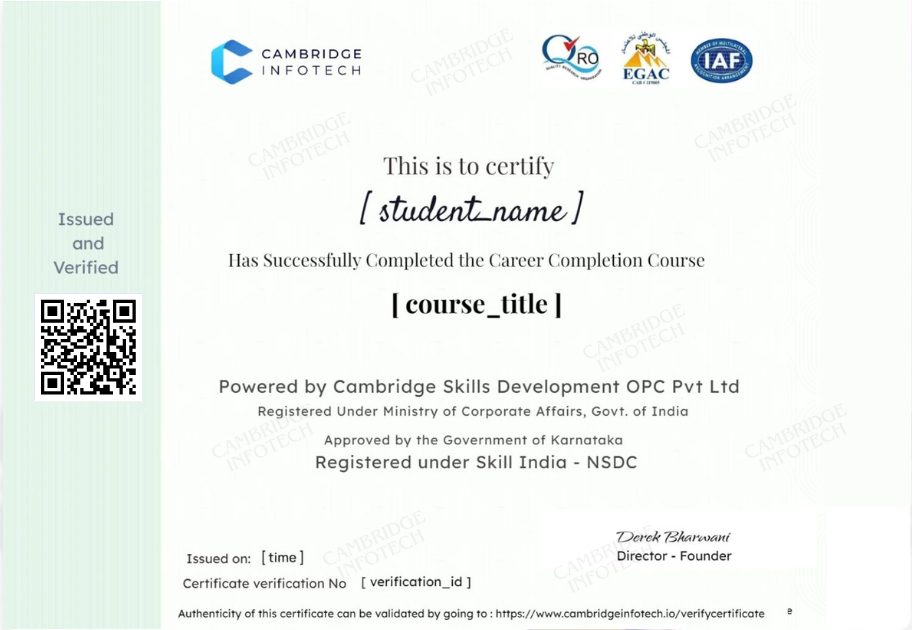
Adobe illustrator Course Completion Certificate
A globally recognized certificate does just that, signaling to potential employers that you are equipped with essential skills for effective communication.
Benefits of Our Adobe Illustrator Course Certificate
Industry-Recognized Validation
Proof of job-ready Illustrator skills verified by Cambridge Infotech
Accepted by 100+ design studios, agencies, and tech companies
Includes unique QR code for instant employer verification
Higher Hiring Potential
Certified graduates are 3x more likely to get interview calls
Priority access to our exclusive job portal with ₹5L+ opportunities
Preferred by recruiters at:
✔ TCS, Infosys, Wipro (in-house design roles)
✔ Ogilvy, Landor (creative agencies)
✔ Swiggy, CRED (startup design teams)
Alumni Privileges
Free skill upgrades for 2 years
Invitations to private hiring mixers
Lifetime access to certificate verification
- “87% of students report career growth within 6 months of certification”

Featured Courses
InDesign course in Bangalore
All Levels- 16 Lessons
- 20 Hours
- All Levels
- ⭐⭐⭐⭐⭐ 4.6/5 (2084 Ratings)
- 3892 Enrolled
Cambridge Infotech
Coral Draw
Intermediate- 16 Lessons
- 20 Hours
- Intermediate
- ⭐⭐⭐⭐⭐ 4.8/5 (2095 Ratings)
- 3629 Enrolled
Cambridge Infotech
Video Editing
Intermediate- 24 Lessons
- 30 Hours
- Intermediate
- ⭐⭐⭐⭐⭐ 4.8/5 (2382 Ratings)
- 3914 Enrolled
Cambridge Infotech
Adobe Photoshop
All Levels- 24 Lessons
- 20 Hours
- All Levels
- ⭐⭐⭐⭐⭐ 4.9/5 (2839 Ratings)
- 4401 Enrolled
Cambridge Infotech

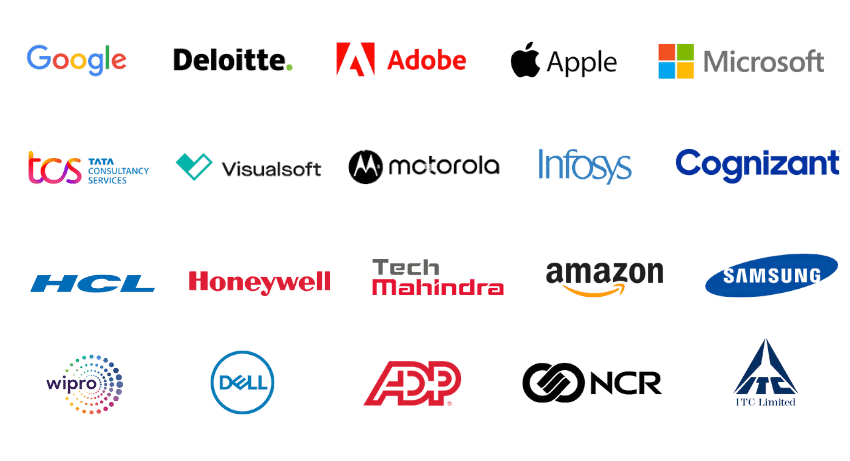
Companies
our students are placed in
The companies our students are placed in are a testament to the excellence of our program. Our education equips students with the skills and knowledge necessary to succeed in these top-notch organizations. Take a look at where our graduates have landed: